01
Your plan. Your power.
Build training days with exercises and targets. Know what you're doing before you start.
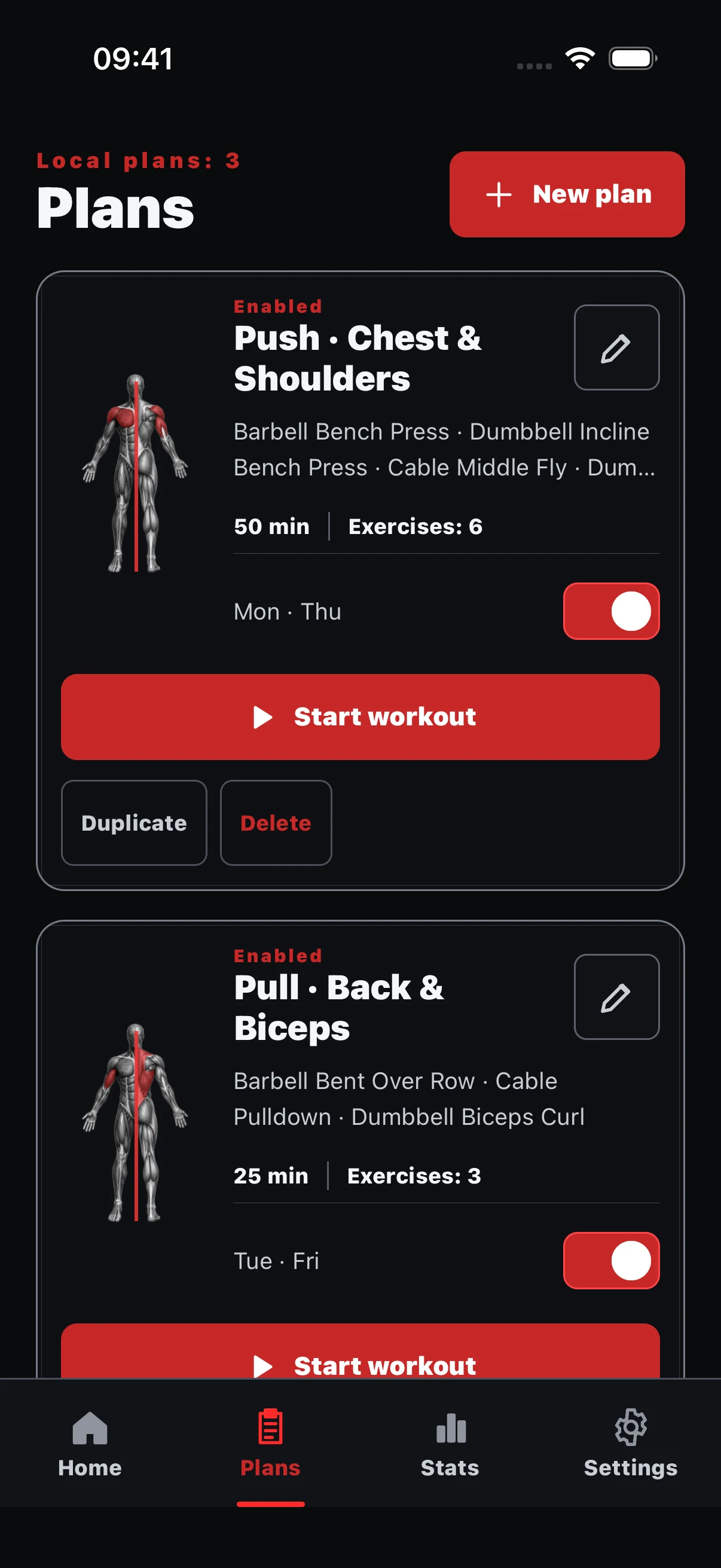
Strength training. Your way.
See what's done, what's next, and what you're working on now. Build your plan, log your sets, and keep your progress in view.
The whole routine
A clear place for every part of your strength routine.
Build training days with exercises and targets. Know what you're doing before you start.
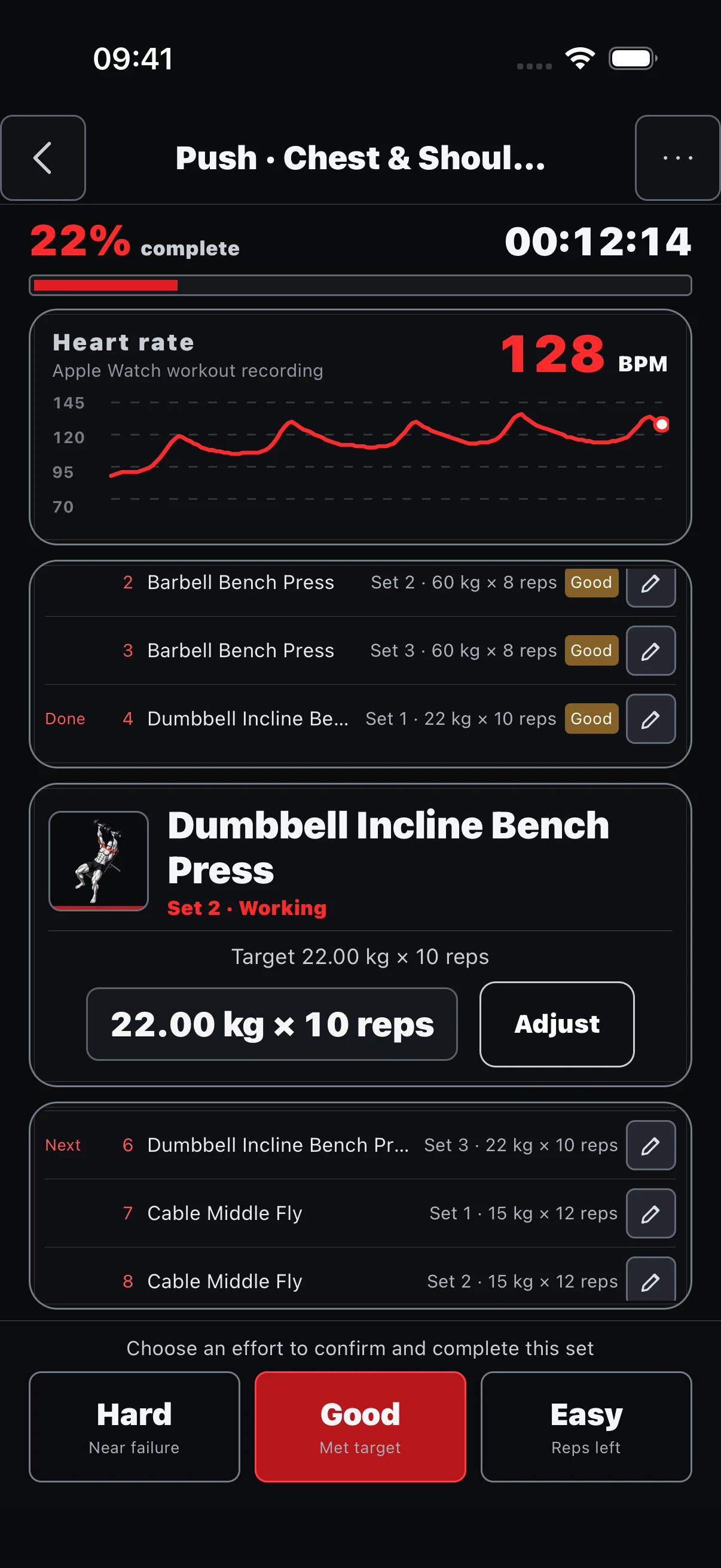
See completed sets, your current effort, and what's next. Log weight, reps, timed work and rest.
Review completion, volume, time, muscles worked, and your session history.
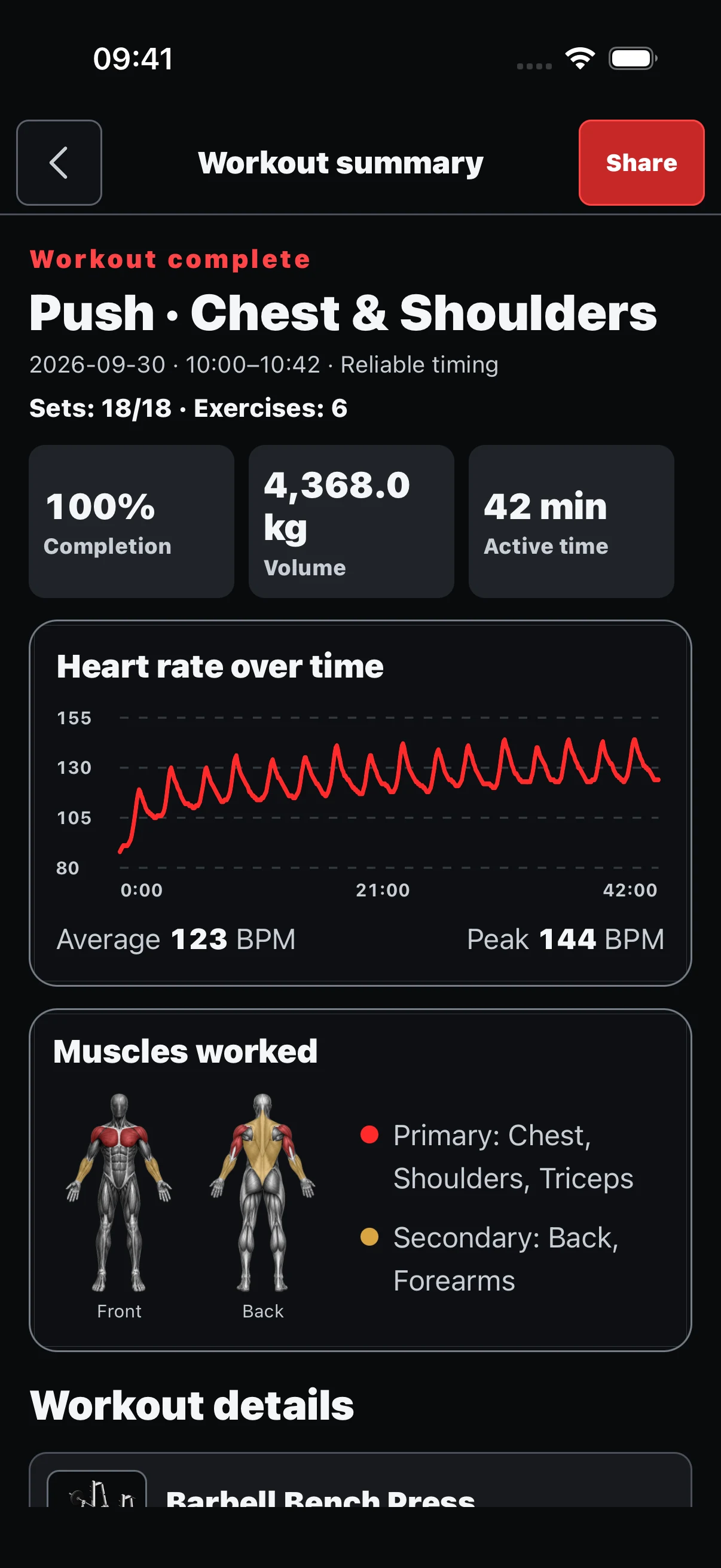
Screens show illustrative sample data.
In the moment
Keep the whole session in view. Targets and actual results stay distinct while sets, timed work, and rest move through one flow.
Review the work
After a session, review completion, training volume, active time, and muscles worked. Follow progress over time.
Build with confidence
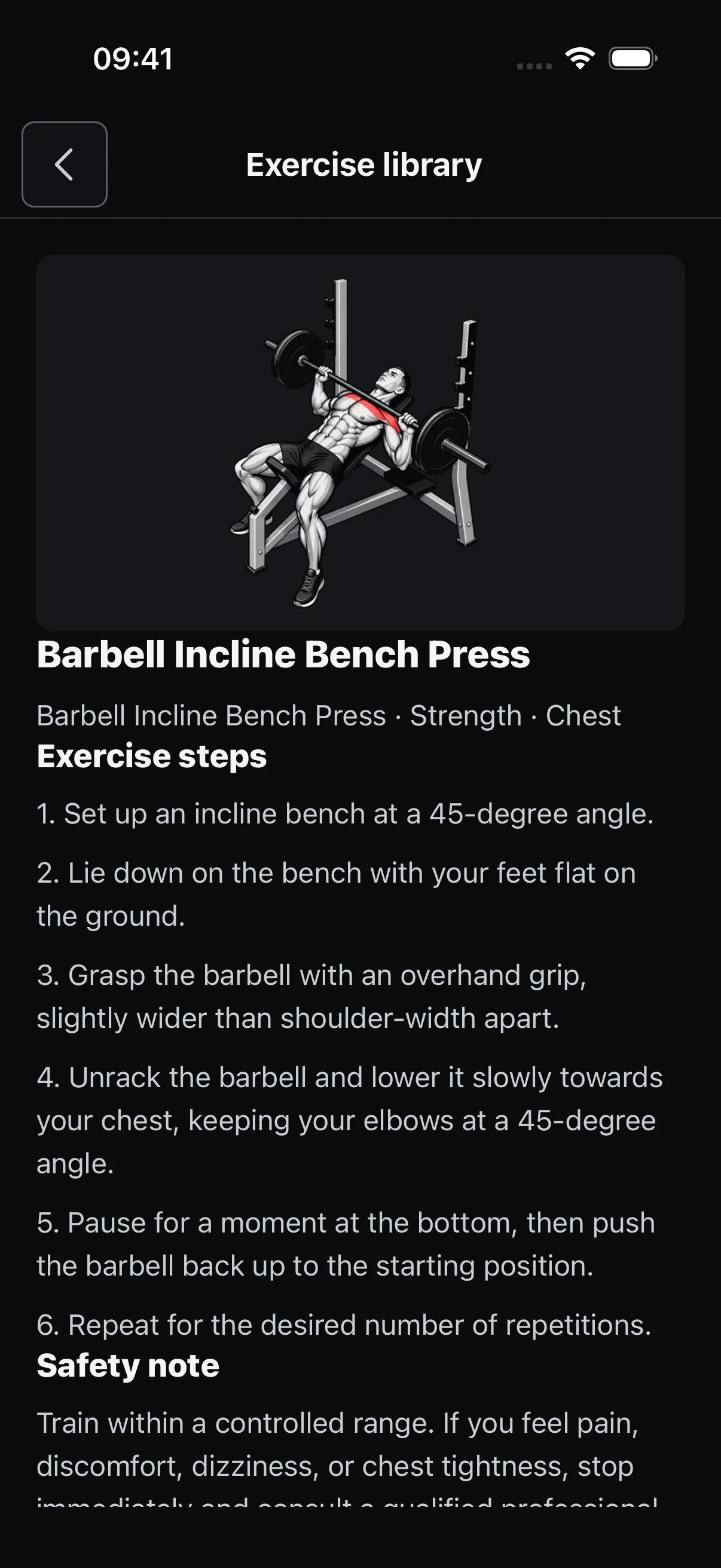
Go from a body area to an exercise you understand, then add it to your plan.
Choose a body area to see exercises that target it.
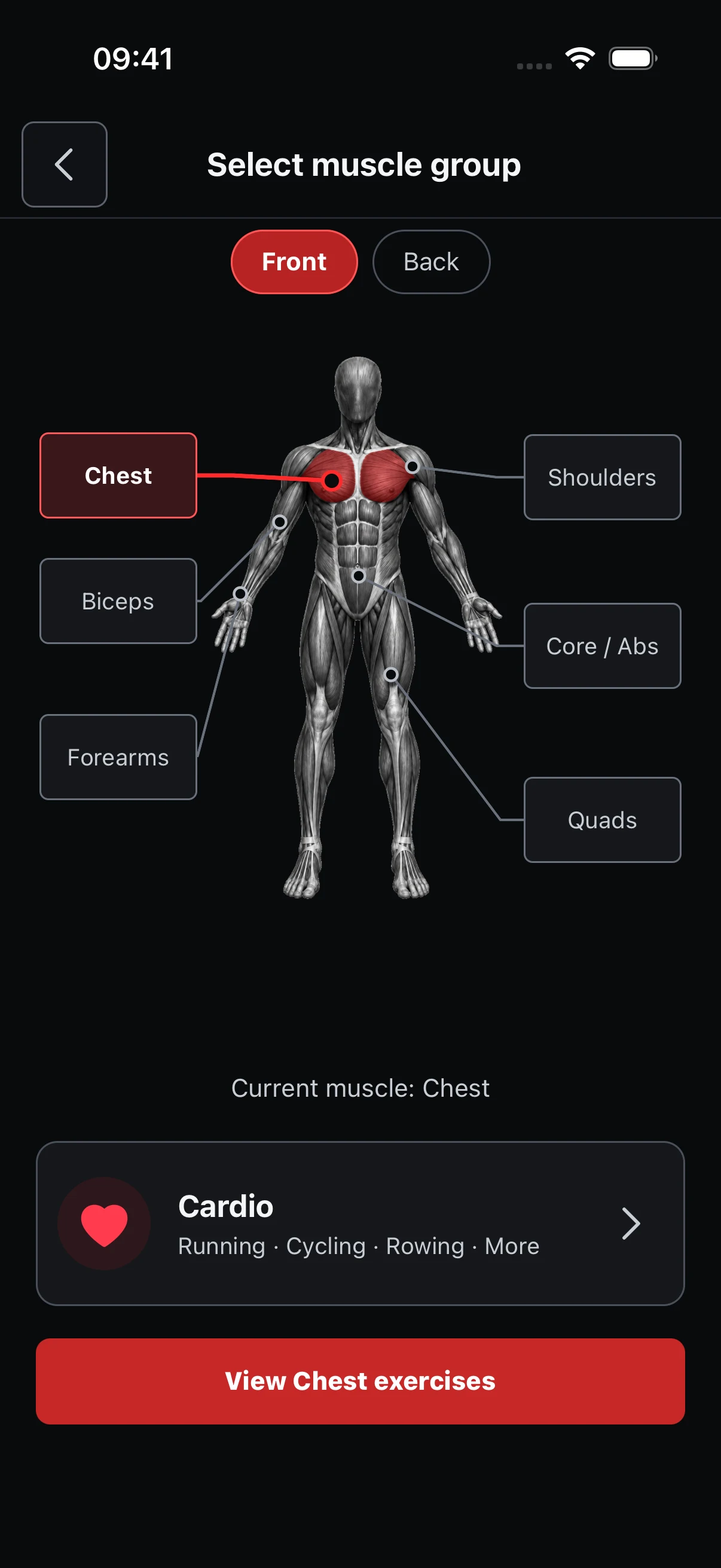
Search the library, filter by equipment, and save movements.
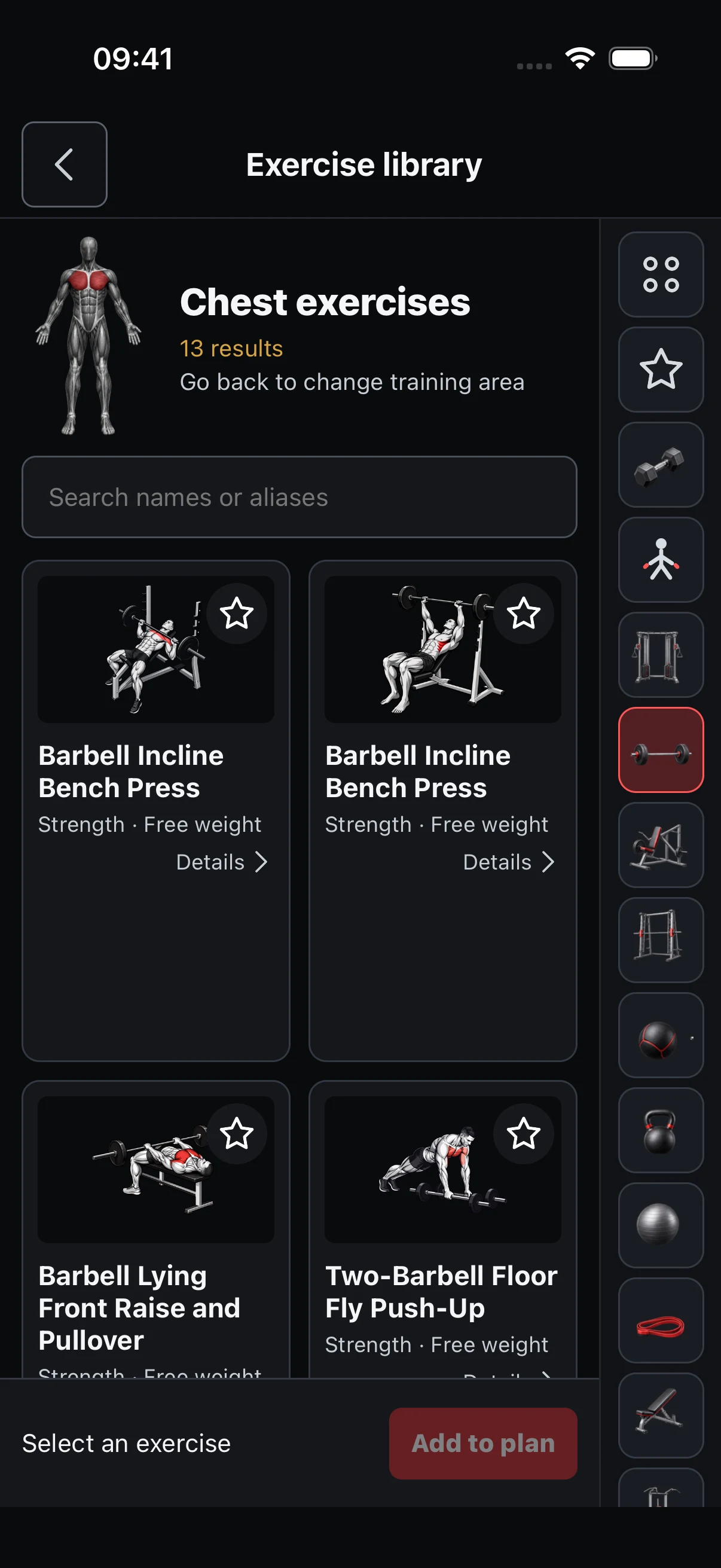
See illustrations, steps, muscles, and safety notes before adding an exercise.
Screens show illustrative sample data.
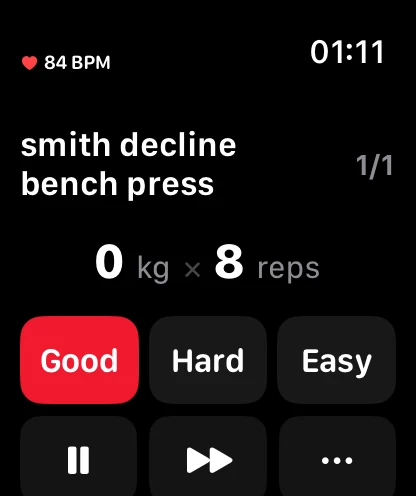
Optional companion
Start a workout on a compatible Apple Watch. With permission, heart rate can sync to your workout record.
Apple Watch, heart rate, Apple Health, and reminders are optional and may require compatible hardware and permissions.Designed with restraint
Cloud backup authorization is separate from Apple Health permission and optional diagnostics. Read the Terms and Privacy Notice →
Good to know
Yes. Phone-based planning, tracking, summaries, history, and statistics work without one.
Not by default. Cloud backup only starts after you sign in and explicitly authorize it.
Use the app controls to clear local data, delete cloud backups, or request account deletion.
No. It is for personal tracking and general information.

Keep your plan, your sets, and your progress in one place.